Bilingual books for your Kindle
Upload an ePub you own and get it back with a translation under every paragraph. Then send the new ePub to your Kindle library with Amazon's Send to Kindle.
See it before you try it
Pride and Prejudice — Jane Austen · Chapters 1–2, sample · English → Simplified Chinese
It is a truth universally acknowledged, that a single man in possession of a good fortune must be in want of a wife.
凡是有钱的单身汉,总想娶位太太,这已经成了一条举世公认的真理。
However little known the feelings or views of such a man may be on his first entering a neighbourhood, this truth is so well fixed in the minds of the surrounding families, that he is considered as the rightful property of some one or other of their daughters.
尽管这样的男人第一次来到一个地区时,他的感情或看法如何,人们知道得很少,但这条真理在邻近的各个家庭中却是如此根深蒂固,以致于他被视为他们某个女儿理所当然的财产。
“My dear Mr. Bennet,” said his lady to him one day, “have you heard that Netherfield Park is let at last?”
“亲爱的班纳特先生,”他的太太有一天对他说,“你听说尼日斐花园终于出租了吗?”
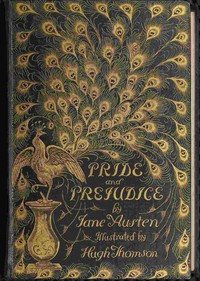
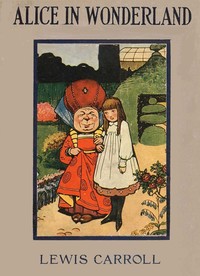

These files are the pipeline's real output. Download one and open it in Apple Books, Calibre or any ePub reader.
Built for whole books
Names stay themselves
Before translating, we read through your book and build a glossary of people, places and special terms. Every request carries it, so “Mr. Darcy” is the same person on page 3 and page 300, and you can edit the glossary yourself.
Your book, not a rebuild
Translations are inserted into the original file, right after each paragraph. Chapters, images, footnotes, fonts and styles stay exactly where the publisher put them.
Every line editable
Disagree with a sentence? Click it, fix it, re-export. The built-in editor covers every paragraph and the glossary.
Impossible to lose work
Every finished batch is saved instantly. Close the tab, lose your connection or cancel, and the next run picks up exactly where it stopped.
A novel in minutes
Dozens of parallel requests with speed that adapts to the model. A full-length novel typically lands in 10–30 minutes.
Reads anywhere
The output is a standard ePub. If it reads books, it reads yours: Apple Books, Kindle via Send-to-Kindle, Calibre, KOReader.
How it works
Upload your ePub
We read every paragraph, pull the cover, and build a glossary of names and terms so the whole book is translated consistently.
We translate it
Paragraph by paragraph, dozens of requests in parallel. Watch live progress, or close the tab and come back later while it keeps going.
Download the bilingual book
Each translation sits right under its original paragraph. Edit anything you like, export, and read in any ePub reader.
Simple pricing
Per book
Pay once for the book you upload. The exact price is quoted up-front from its length and covers the whole translation.
Monthly
For readers with a stack. A generous monthly allowance covers several full-length books.
Questions, answered
Can I send the bilingual ePub to my Kindle?
Yes. Amazon's Send to Kindle help page lists EPUB as a supported file type. You can upload files of 200 MB or smaller on the Send to Kindle web page, or send them from the Kindle app for iOS and Android or the Send to Kindle app for Mac and Windows.
Can I email the book to my Kindle?
Yes. Attach the ePub to an email to your Send to Kindle email address. Amazon only accepts documents from addresses on your Approved Personal Document Email List, and one email can carry up to 25 attachments with a total size of 50 MB or less.
Can I use calibre instead?
Yes. calibre can convert EPUB to AZW3 or MOBI and can connect to most e-book readers by USB cable to copy books over. calibre's FAQ also notes that Amazon does not allow email delivery of AZW3 and new style MOBI files, so if you email the book, send the ePub itself.
How will the translation look on my Kindle?
Each translation is its own paragraph right under the original, styled in a gray color. How that color shows depends on your device and reading settings, so download one of the free sample ePubs on this page and try it on your Kindle before you translate a whole book.
Which books can I upload?
ePub files up to 50 MB. Files with DRM protection cannot be processed. Use an ePub you own without DRM, such as a public domain book or a DRM free purchase.